Sign Up for Parent Square
Posted Date: 08/04/26 (03:42 PM)
Dear CCPS Families,
An invitation has been sent to the email address we have on file for you to activate your ParentSquare account.
ParentSquare works with PowerSchool to help keep student information accurate and improve communication between schools and families.
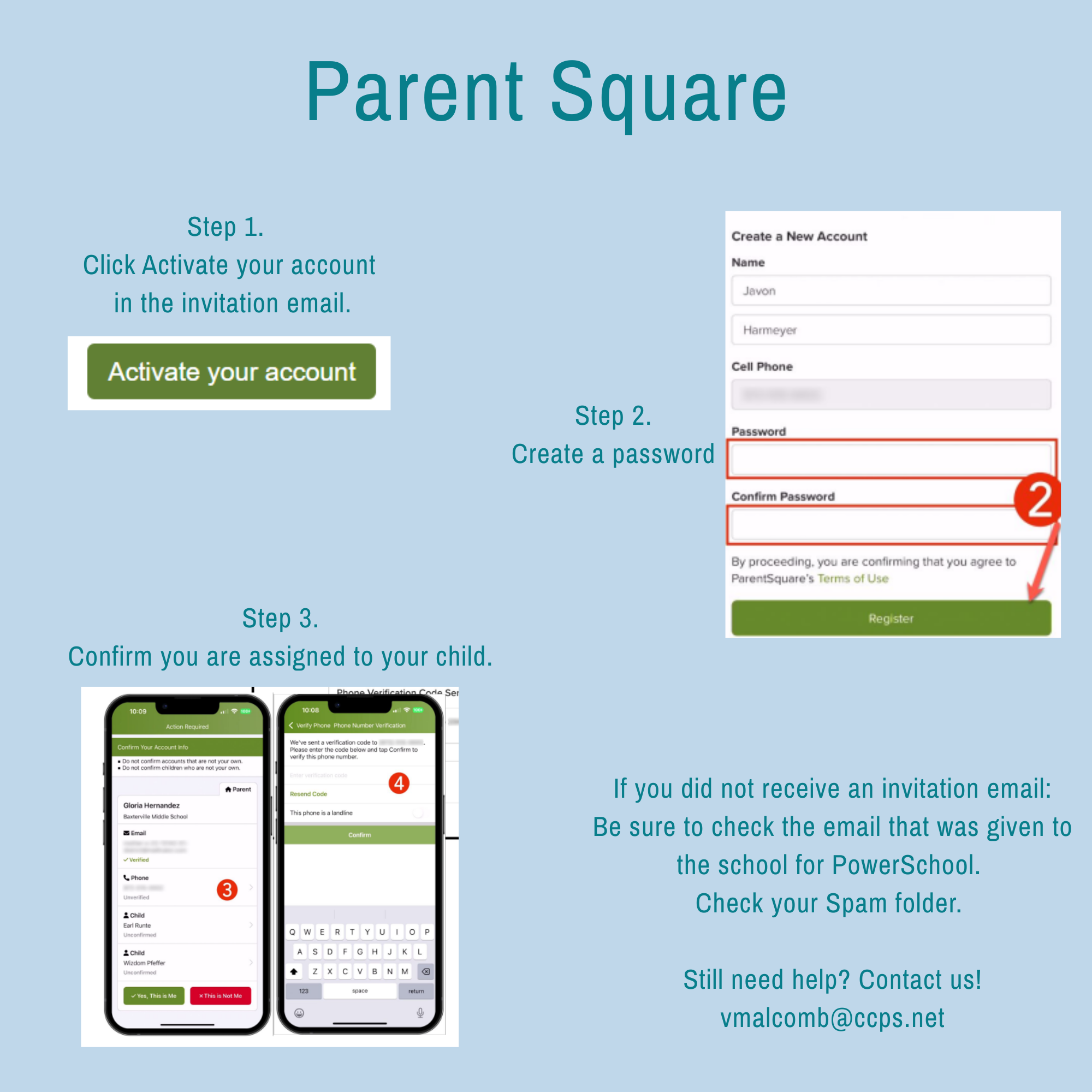
To activate your account:
- Open the invitation email and click Activate Account.
- Create a password for your ParentSquare account and keep it in a safe place.
- Click Register.
- Confirm the email address and phone number we have on file. A verification code will be sent to complete this step.
- Review your student's information to ensure everything is correct.
Once your account is activated, you'll be able to view the news feed for your child's school and CCPS, receive important announcements, and communicate with school staff—all in one place.
If you have any questions or need assistance activating your account, please don't hesitate to contact us. We're here to help!